Ecosystem
Mobile app
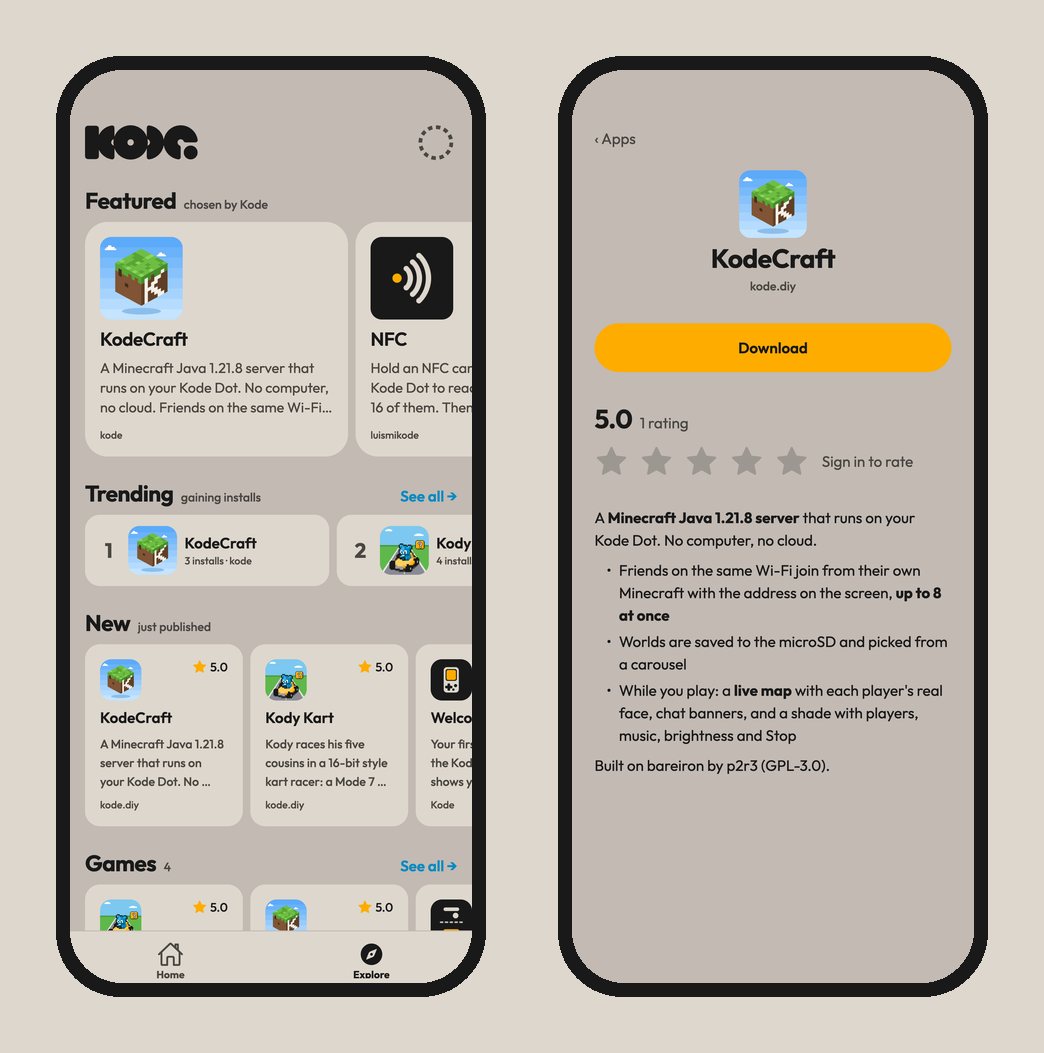
The Kode app for iPhone and Android: the marketplace on a phone, and a Bluetooth link to a Kode Dot within reach for installing kodeOS apps and setting up its Wi-Fi.
What it is
The Kode app puts the marketplace on a phone and talks to a Kode Dot over Bluetooth. It is Kode DIY on the App Store and Kode on Google Play, for iPhone with iOS 15.1 or later and for Android.

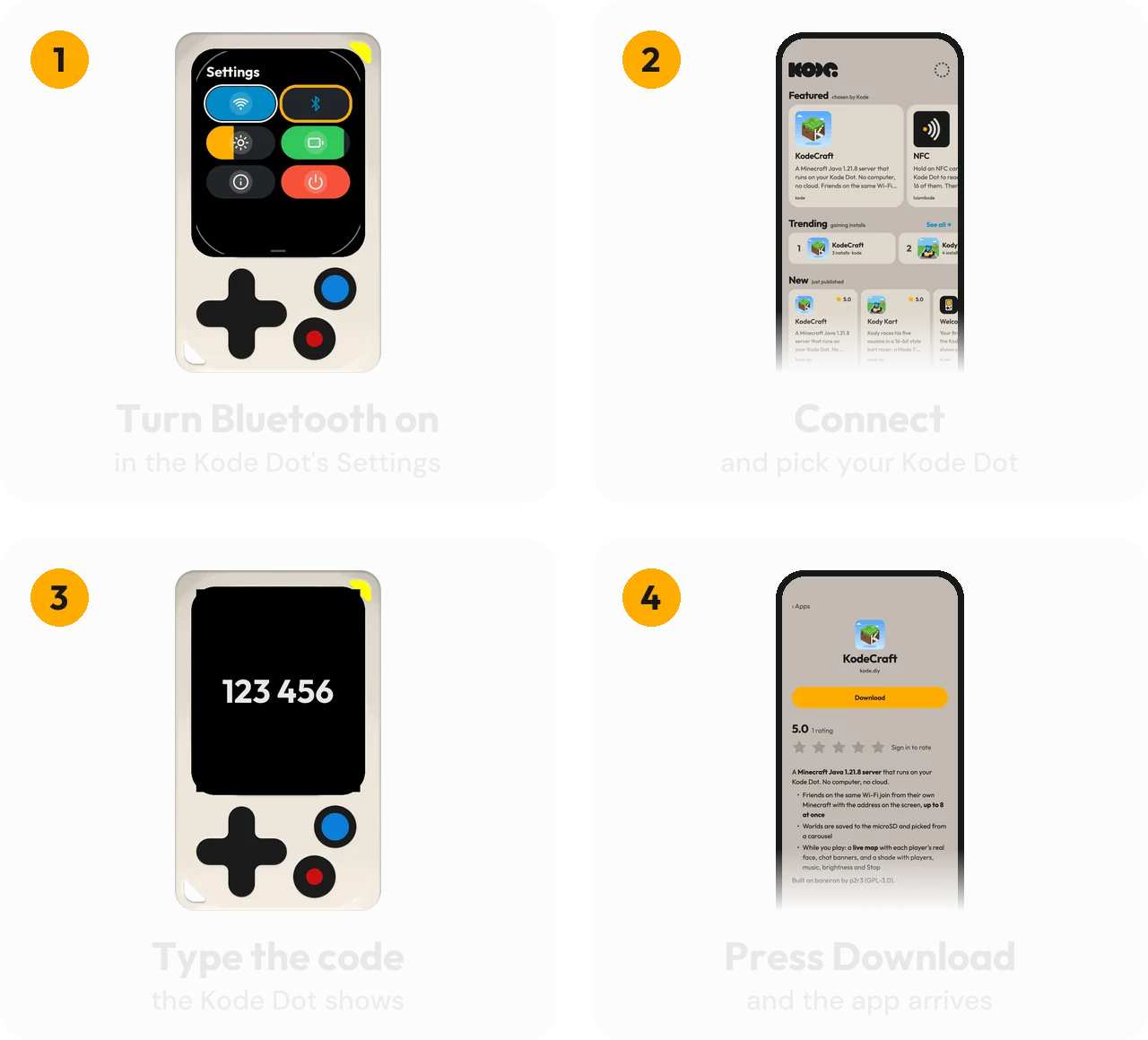
Pair and install
What it does
ExploreThe marketplace's catalog: featured, trending, new, and one row per category.
Install over BluetoothkodeOS apps to a Kode Dot within reach. A full image needs a computer: see
ecosystem/marketplace. In beta: if an install stalls, the same app installs over USB.Wi-FiTurn it on or off and join a network from a scan, on the Kode Dot's page. Hidden networks, and names with a space or an
=, cannot be set from the app yet.Installed appsSee what is on the Kode Dot and delete what you no longer want.
RatingStars, for an app you installed while signed in. Reviews are written on the marketplace's website.
AccountOptional: GitHub, Google or Apple, the same account as on the marketplace. You can delete it from the app.