> ## Documentation Index
> Fetch the complete documentation index at: https://docs.kode.diy/llms.txt
> Use this file to discover all available pages before exploring further.
# Firmware
> Discover kodeOS and how you can update or repair it.
# kodeOS
kodeOS is the operating system that runs on a **partition of the flash** of your Kode Dot.
If for some reason **you erase the flash or program a code on top of the kodeOS partition**, you can reinstall it through the **kode desktop application.**
 ## Recover kodeOS
Open the application and connect the Kode Dot via USB cable. In the Serial Port section, you should see the port to which it is connected.
Download the kodeOS file in the downloads folder and select it in the program.
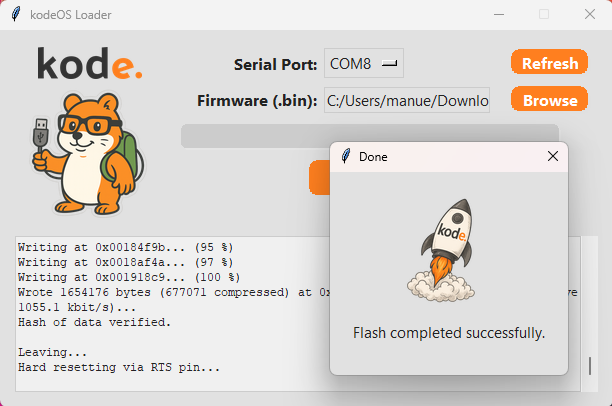
Press the Load button and wait for the load to complete. In the terminal you will see the load process and when it is finished you will see a pop-up with the message that it has been loaded correctly.
## Recover kodeOS
Open the application and connect the Kode Dot via USB cable. In the Serial Port section, you should see the port to which it is connected.
Download the kodeOS file in the downloads folder and select it in the program.
Press the Load button and wait for the load to complete. In the terminal you will see the load process and when it is finished you will see a pop-up with the message that it has been loaded correctly.